
# Google Ads Not Converting? 7 Fixes for Local Service Businesses

If your Google Ads get clicks but few calls, forms or booked jobs, the cause is almost always one of four things: broken or misleading tracking, the wrong searches triggering your ads, a landing page that does not finish the job the ad started, or a budget and bidding setup that gives Google nothing useful to learn from. Roxfire Marketing Agency runs campaigns for HVAC, roofing, cleaning, moving, restoration, garage door, pool, window and dental businesses, and we work through these layers in this order because fixing a later layer never repairs an earlier one.
This guide walks through the order, what to look at in your own account, and where owners usually go wrong. The same logic applies to Facebook and Instagram ads, covered near the end.
- Check tracking first. If calls and forms are not counted correctly, every other number in your account is misleading.
- Read your search terms report weekly. Clicks from irrelevant searches look like a conversion problem but are a targeting problem.
- Match the landing page to the ad: same service, same offer, a phone number and form visible without scrolling, fast on a phone.
- Judge results only after the conversion window and reporting delays have passed, and avoid constant edits that reset learning.
- No agency or setup can guarantee a number of leads. What you can control is measurement, relevance and the quality of the follow-up.
Start by separating a tracking problem from a real conversion problem
Before you change a single ad, find out whether conversions are not happening or just not being counted. These look identical in the dashboard: zero conversions next to real spend.
A few ways tracking quietly fails for service businesses:
- Calls are the main conversion, but call tracking is off or misconfigured. Google notes that a minimum call-length threshold set too high can stop shorter, otherwise valid calls from counting, according to its conversion tracking troubleshooting guide. A 20-second call from a homeowner with a flooded basement is still a lead.
- The tag does not fire on the thank-you page or form submit. Google recommends testing a conversion yourself with Tag Assistant, confirming the tag fires, and confirming the action is set to Primary, in the same troubleshooting guide.
- The wrong actions are marked Primary. Google's conversion measurement documentation explains that Primary versus Secondary settings matter because Smart Bidding (Google's automated bidding) optimizes toward the signals you select. If page views or button clicks are Primary, Google will find you more of those instead of booked jobs.
- Auto-tagging is off. Sitewide tagging and auto-tagging store the click identifier (the GCLID) in first-party cookies, which is how a later conversion gets tied to the ad click, per Google's sitewide tagging guide.
Note that a status of inactive or unverified can simply mean no recent data, and Google says tag diagnostics may take 24 to 48 hours to update after you fix something (source). Give a fix two days before deciding it did not work.
We do not treat installing extra third-party tracking pixels as a default step. Start with Google's own tag, correctly configured, and add more only when a specific reporting need requires it.
Give conversions time to show up
Owners often panic at a bad Monday-to-Wednesday report. Two timing facts matter:
- Google says conversion reporting can take 3 to 24 hours, and conversions are attributed to the date of the click (source). Most account statistics are delayed by less than 3 hours, while conversions using attribution models other than last click are typically delayed up to 15 hours (data freshness).
- Customers can convert as late as 90 days after a click, depending on your conversion window, so very recent performance can look weaker than the final result (Google's explanation).
For a $400 faucet repair this window is short. For a roof replacement, a pool build or a kitchen-and-bath remodel, people compare bids for weeks. A campaign for a long sales cycle will always look worse in its first two weeks than it really is.
Read the search terms, not just the keywords
A keyword is what you bid on. A search term is what the person actually typed. The two can be far apart, and the gap is where much of the wasted spend sits.
Google's guidance on optimizing ads and landing pages names irrelevant searches as one reason for clicks without conversions, and says to check search terms. In practice, open the search terms report and look for:
- Job seekers and DIYers. "HVAC technician jobs," "how to replace a garage door spring," "roofing apprenticeship."
- Wrong service. A plumber-adjacent query on an HVAC campaign, or commercial roofing queries when you only do residential.
- Wrong location. People outside your service area, which often happens when location targeting is set to "presence or interest" instead of people physically in the area.
- Price-only shoppers for work you do not discount, such as "cheapest mover near me."
Add the irrelevant ones as negative keywords (words that stop your ad from showing for those searches). Do this weekly in the first two months, then monthly.
Google's local-services guidance adds a related point: choose all the job types you actually perform, and set service areas broad enough to cover your real territory (Local Services Ads guidance). Too narrow and you miss work. A mismatch in either direction hurts lead quality.
Make the landing page finish what the ad started
If the search terms are right and tracking works, the landing page is the next suspect. This is where a good click turns into a call or disappears.
Google recommends that a landing page closely match the ad and keywords, including the promised service and call to action, because it supports ad relevance and landing-page experience (Google Ads Help). The same page recommends a fast, mobile-friendly page with simple navigation, easy contact options and the important information near the top.
Here is what that looks like for specific trades:
| Trade | Ad promise | What the page must show immediately |
|---|---|---|
| HVAC | "Same-day AC repair" | Phone number, service area, emergency availability, a short form |
| Roofing | "Free roof inspection" | What the inspection includes, reviews, a quote or inspection request form |
| Restoration | "24/7 water damage response" | Click-to-call button that stays on screen, what happens after the call |
| Dental | "New patient exam" | Online booking or call button, insurance information, location |
| Moving | "Local movers, instant quote" | Short quote form asking move date, size and zip codes |
| Garage door | "Broken spring repair today" | Phone number, service area, response time |
Common failures we look for:
1. The ad goes to the home page. A visitor who searched "water heater replacement" lands on a page about everything you do and has to hunt. 2. The form asks for too much. Name, phone and the service needed is enough for most emergency and repair work. 3. The page is slow on a phone. Most urgent home-service searches happen on a phone, often from a driveway or a flooded kitchen. 4. No proof. Reviews, licenses, and service area belong near the top, not in the footer.
Roxfire builds and optimizes landing pages for service businesses as a separate service, so each service and each ad group can have its own matching page instead of one generic one.
Optimize for qualified leads, not just form fills
A campaign can produce plenty of conversions and still not fill the schedule. That happens when the account counts every form submission or short call equally.
Google's lead-quality best practices recommend choosing goals aligned with business outcomes, such as qualified leads, converted leads, booked appointments or quote requests, instead of lead volume alone. The same guidance suggests lead-verification measures like reCAPTCHA, double opt-in or server-side validation to screen invalid submissions.
For an owner, this means:
- Record what happens to each lead. Did the call get answered? Was it a real job? Was a quote sent? Was it won? Without this, Google only sees "a form was sent."
- Feed outcomes back. Google says enhanced-conversion or offline-conversion data should ideally be uploaded daily, and the chosen conversion action should ideally occur within 7 days of the ad interaction (same guidance).
- Answer fast. A missed call from an ad is spend wasted at the very last step. This is why Roxfire also offers Go High Level CRM and automation and AI voice automation, so inquiries are captured and followed up even when the office is busy.
This is also where a lead-quality problem hides inside a conversion problem. If your calls are mostly wrong-service or out-of-area, the fix is in targeting and the ad copy, not in the landing page.
Check budget, bidding and seasonality
Smart Bidding needs data. A very small budget in an expensive market can mean only a handful of clicks per week, which is not enough to learn from, let alone to judge.
Google's lead-generation guidance recommends the chosen conversion goal have at least 15 conversions in the last 30 days at account level for its high-quality-lead approach (source). If you are well below that, the fix is usually one of these: fewer campaigns with more budget each, a broader conversion goal temporarily (such as calls over 60 seconds), or a tighter service area.
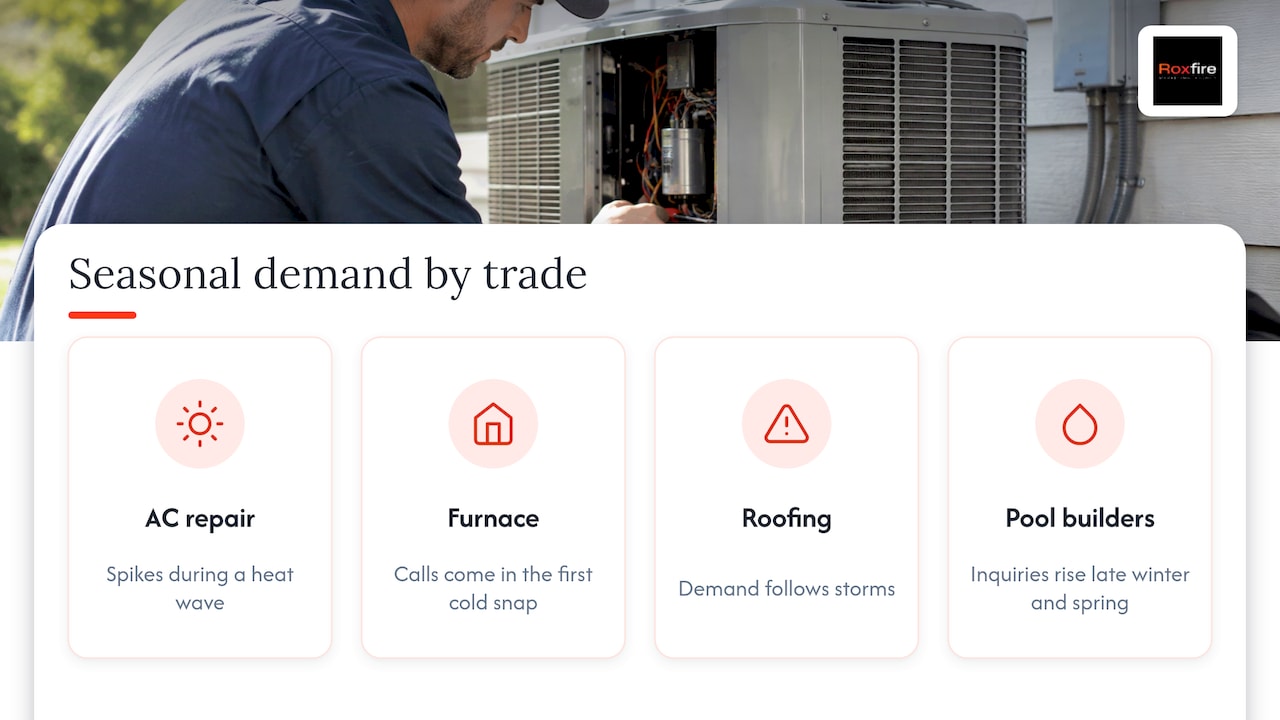
Google also says to set bid targets based on past performance, seasonality and promotional patterns, and to align targets and budgets with real CPA (cost per acquisition) or ROAS (return on ad spend) goals, in that same guide. Seasonality is concrete in our trades: AC repair spikes in a heat wave, furnace calls come in the first cold snap, roofing follows storms, pool builders get their inquiries in late winter and spring. A drop in October for a pool builder is not a broken campaign.
If you run Local Services Ads (Google's pay-per-lead ads for eligible local trades, described in Google's lead generation guide for local businesses), Google recommends having five or more reviews, and says that depending on business type five may be required for the business to show. It also recommends Maximize Leads bidding when you want the system to optimize the budget for leads (Local Services Ads guidance).
Be honest with yourself about the budget. Paid ads need enough spend to produce a meaningful sample, and you pay for every click whether or not it converts. If your budget cannot support a test, results will be noisy no matter how good the setup.
Optimize without resetting the data
The urge to fix things daily is understandable and often counterproductive. A cleaner routine:
1. Fix tracking first and note the date. 2. Make one batch of changes (negatives, ad copy, landing page) and write down what you changed. 3. Wait for the conversion window and reporting delays. Google advises against judging incomplete recent periods as settled performance, because later conversions can still be reported (Google's guidance). 4. Compare like with like. Same days of the week, same season, same conversion definition. 5. Change the next thing.
This is also the honest answer on timelines. Paid search can show signals in weeks, but a clean read usually takes longer. SEO and Google Business Profile work compound over months, and no responsible provider can promise a specific number of leads.
Search Engine Land frames low conversions as a funnel problem, where weak earlier-stage traffic limits what comes later (PPC diagnostics). Improving a landing page will not rescue traffic that was never right. That is why the order in this article matters.
If your Facebook and Instagram ads are not converting
The same order works for Meta Ads, with different parts at each layer:
- Tracking. Confirm leads and calls reach your records, and that the action Meta optimizes for is a real lead, not a page view.
- Targeting and offer. Meta shows ads to people browsing, not searching. Nobody on Instagram is looking for a roofer at that moment, so the offer has to do more work: a clear service, a clear area, and a reason to act now, such as a seasonal tune-up or a free inspection.
- Creative. Real photos of your crews, your trucks and finished jobs usually say more than stock images. Show the specific service in the first line.
- Landing page and speed to lead. Social leads cool off fast. A form lead that gets a call or text within minutes is treated very differently from one called the next day.
- Budget and patience. Each ad set needs enough results to optimize. Constantly editing resets that process.
Meta leads and Google search leads behave differently, and they suit different jobs. Roxfire's comparison of Google Ads versus Meta Ads covers where each one fits, and Meta Ads management is a separate service from Google Ads management.
When it makes sense to bring in help
Many owners can handle the search terms report and a basic landing page edit. The harder parts are tracking that follows a lead through to a booked job, matching pages to every service, and running the test routine without resetting learning.
Roxfire is a performance marketing agency built for local service businesses. Every campaign is tracked toward revenue rather than vanity metrics, and there is no long-term contract. Google Ads management starts at $1,200/month, and Meta Ads management starts at $940/month. Ad spend is paid directly to the ad platforms and is separate from the management fee. Roxfire also offers SEO packages for the longer-term side: Local Growth at $1,000-$1,500 per month, Revenue Engine at $2,000-$3,000 per month and Market Domination at $4,000-$6,000 per month.

If your numbers do not add up and you cannot tell which layer is broken, the practical next step is to book a free marketing audit. We review tracking, search terms, landing pages and budget, and show you what the account is actually doing. For deeper reading, our guides on Google Ads leads for service businesses, cost per lead in home services and common HVAC PPC mistakes go further into each trade.
FAQ
Why am I getting clicks but no conversions in Google Ads?
Usually the clicks come from searches that do not match what you sell, or the landing page does not match the ad, loads slowly or is hard to use on a phone. Tracking can also be failing, so the conversions happen but are not counted. Check tracking first, then search terms, then the page.
How long does it take for conversions to show in Google Ads?
Google says reporting can take 3 to 24 hours, and conversions are credited to the click date (source). Customers can also convert up to 90 days after a click, depending on your conversion window (source). Recent days will usually look worse than they end up.
Why are my Facebook ads not converting?
The most common causes are an optimization goal that is not a real lead, an offer too vague for someone who was not searching, creative that does not show the actual service, and slow follow-up on leads. Fix tracking and follow-up speed before changing the ads themselves.
Should I change my campaigns every few days?
No. Make one batch of changes, record it, and wait until delayed conversions have reported. Frequent edits make it hard to know what worked, and Google advises against judging incomplete recent periods as settled results (source).
Sources
- Optimize your ads and landing pages - Google Ads Help
- Troubleshoot your conversion tracking status - Google Ads Help
- About conversion measurement - Google Ads Help
- Troubleshoot your sitewide tagging - Google Ads Help
- About data freshness - Google Ads Help
- Find out how long it takes for your customers to convert - Google Ads Help
- Best practices for generating high-quality leads - Google Ads Help
- Improve your Local Services Ads performance - Local Services Ads Help
- Guide to lead generation for local businesses - Google Ads
- PPC diagnostics: How to find and fix the root cause of low conversions - Search Engine Land
Want this handled for you?
We run Google Ads, Meta Ads, and SEO for local service businesses. Book a call and we will show you what your numbers could look like.