# After-Hours Call Answering for Local Service Businesses
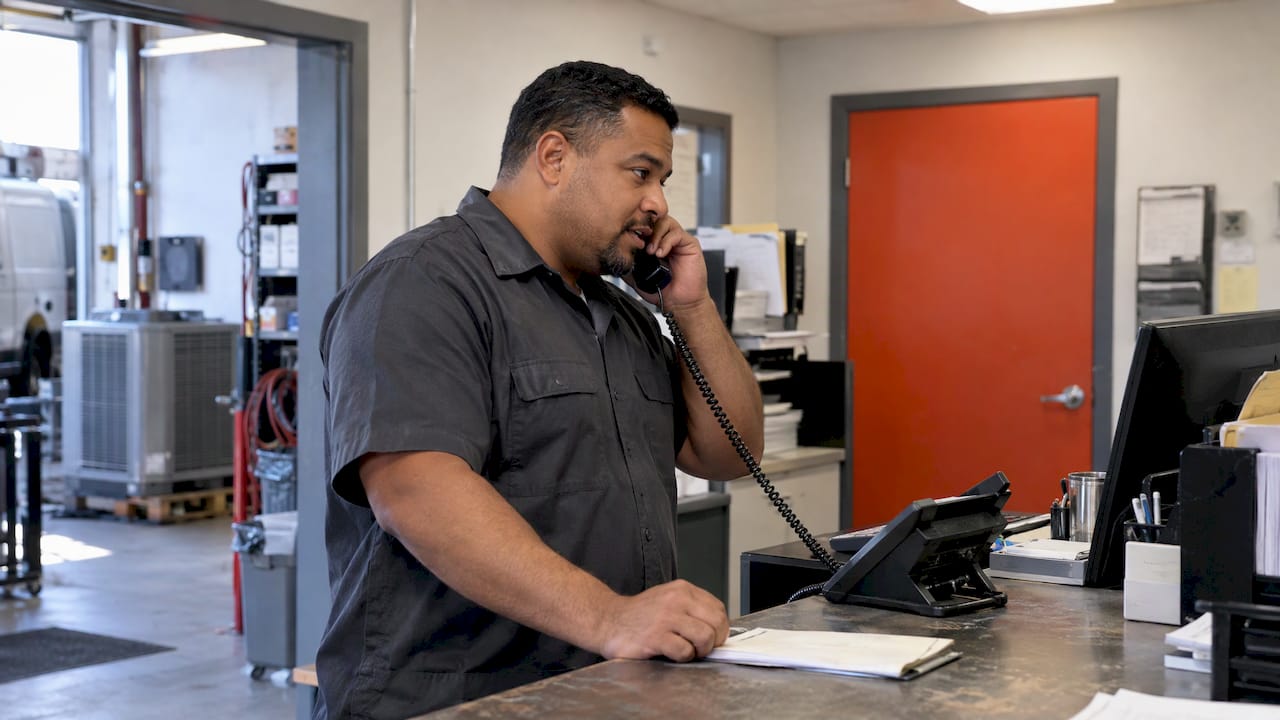
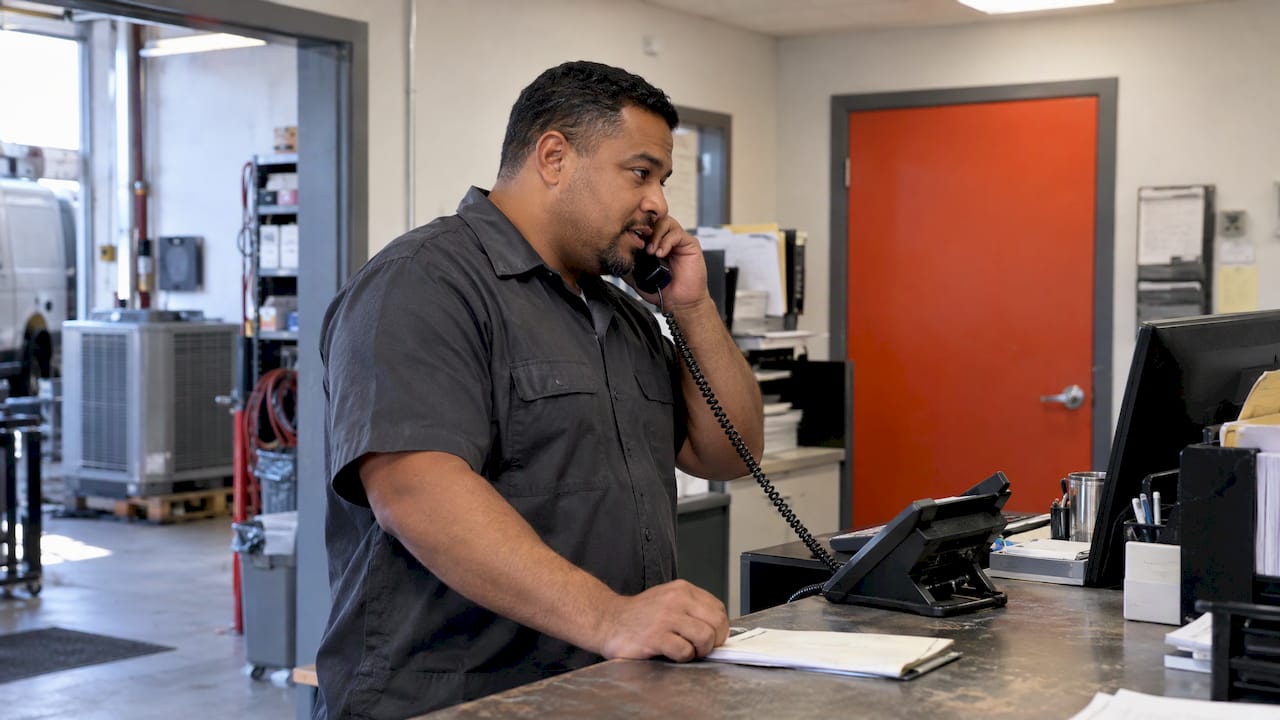
After-hours call answering means every call that reaches your business outside working hours gets answered, sorted by urgency and logged, instead of dropping into a voicemail box. For a trade where the phone is the front door, the best setup is an AI voice assistant that answers in your business name, books routine jobs, hands emergencies to your on-call person and writes every call into your CRM (the system where you track leads and jobs). Roxfire Marketing Agency builds this kind of AI voice and phone automation for local service businesses, so the calls your ads and search rankings generate are not lost at 7 p.m.
This guide is for owners and managers of HVAC, roofing, cleaning, moving, restoration, garage door, pool, window, dental and spa businesses. It explains what to set up, in what order, and how to tell whether it is working.
- Voicemail records a message for later. Real after-hours answering talks to the caller, collects the job details, decides how urgent it is and tells the right person.
- Speed decides who wins the job: in a Harvard Business Review study, companies that contacted a lead within an hour were nearly seven times as likely to qualify it as companies that waited 24 hours or longer.
- Set three call tiers before you launch: emergency, same-day and routine. Write down who gets each one, a primary and a backup.
- A call that is not logged in your CRM is invisible to your team, so the setup should end with a record and a morning follow-up list.
- Missed calls also waste ad budget: paying for clicks that ring into an empty line raises your real cost per lead.
What after-hours call answering actually is
After-hours call answering is the set of rules that decides what happens when a call comes in and nobody is at the desk. That covers evenings and weekends, but also lunch breaks, holidays and the moments when every dispatcher is already on the phone. A good setup answers four questions: who or what picks up, what the caller can get done on that call, what record is kept, and who follows up.
Most local businesses already have a policy without having chosen one. It is usually voicemail, checked the next morning. The caller with a flooded basement, a dead furnace or a garage door stuck open does not wait for morning. They call the next company on the list, and you never see the lost call.
How it differs from voicemail and call forwarding
There are three common ways to handle an after-hours call, and they behave very differently:
| Option | What happens on the call | Where it breaks down |
|---|---|---|
| Voicemail | The caller can leave a message, if they choose to | Cannot ask questions, book a job or spot an emergency. Many callers hang up without leaving anything. |
| Forwarding to your cell | A real person answers, one call at a time | No record of the call, no filtering, and it depends on you answering every night and weekend. |
| AI voice assistant | Answers instantly, asks questions, books or escalates | Quality depends on how well the questions, booking rules and emergency rules are set up. |
Forwarding to a cell phone works for an owner who gets two or three after-hours calls a week. It stops working when calls grow, when you are on a job site, or when you are simply asleep. It also leaves no searchable history of who called and what they needed.
A third type, a human answering service, also exists. It puts a live agent on the line, and the same rules about scripts and escalation apply to it. For most local service businesses, we recommend an AI voice assistant first, because it answers every call at once, never has a busy line and can write straight into your CRM.
Why a missed call costs more than one job
Phone calls are the highest-intent leads a service business gets. A caller who dials your number has already decided they need the work done. The research on response speed is clear about what happens when you are slow.
A Harvard Business Review study of how companies respond to web-generated leads found that firms that tried to contact a potential customer within an hour were nearly seven times as likely to qualify the lead as firms that waited 24 hours or longer. The same study found that a large share of companies were slow or never responded at all. Voicemail checked at 8 a.m. puts you in the slow group by design.
A worked example with your own numbers
Do this arithmetic with your own figures, not an industry average. Say your average job is worth $600 (a hypothetical figure), you close 4 out of 10 qualified calls, and you miss five after-hours calls a week.
- Value of each answered call: $600 x 0.4 = $240
- Lost per week: 5 x $240 = $1,200
- Lost per year: $1,200 x 52 = $62,400
Swap in your own average job value, close rate and missed-call count. For an emergency restoration job or a roof replacement, the average job value is far higher, so the same five calls cost more. For a cleaning company with recurring customers, one booked call can be worth many visits.
To find your real missed-call count, pull one month of call logs from your phone provider and count the calls that arrived outside staffed hours or went unanswered.
The ad spend problem
If you pay for Google Ads or Facebook and Instagram ads, every missed call is also a wasted click. The cost of reaching a caller is already spent when the phone rings. When it rings into voicemail, your cost per lead (what you pay in ad spend for each inquiry) looks fine on the dashboard but your cost per booked job climbs. Our guide on marketing for home service businesses covers the wider lead picture, and after-hours handling is the part of it that protects the money you have already spent.
Build your after-hours setup in six steps
Whatever tool you use, the setup work is the same. The assistant is only as good as the rules you give it.
Step 1: Count the calls and the hours
Pull a month of call data. Note when calls come in, how many go unanswered, and how many are emergencies versus routine questions. A roofing company will see a spike after storms. An HVAC company will see one during the first cold snap and the first heat wave. A dental office will see most calls early morning and evening. This tells you what coverage you need and which seasons to prepare for.
Where it goes wrong: guessing. Owners often assume nights are quiet because nothing is waiting in voicemail, when the real reason is that callers never leave messages.
Step 2: Write your standard answers
List the ten questions callers ask most and write the answer to each in one or two sentences: hours, service area, what you charge for an estimate or diagnostic visit, which services you offer and which you do not, whether you take insurance or financing, how booking works, and what to do in an emergency while they wait.
A moving company might include whether you handle stairs and long carries. A restoration company should include what the caller should do right now, such as shutting off water at the main valve if it is safe. A dental office should include what to do with a knocked-out tooth or severe pain. Keep safety instructions short, accurate and approved by you.
Step 3: Set your three tiers
Triage is what makes after-hours answering worth having. Sort calls into three groups and decide what each one triggers:
1. Emergency (act now). Safety risk or active damage: a gas smell, no heat in freezing weather, a burst pipe, a tree through a roof, a car trapped by a garage door. The assistant takes the name, phone number, address and the problem, then calls your on-call person immediately. 2. Same-day or next-morning urgent. No hot water, an AC outage in a heat wave, a door that will not close. The assistant takes the details, sends your team a text alert and promises a callback within a time you choose. 3. Routine. Estimates, tune-ups, cleaning quotes, a pool design inquiry, a window replacement quote. The assistant books a slot or queues the request for the next business day.
Write down examples of each tier for your trade. The assistant should be able to say, in plain terms, why a call went to a given tier.
Step 4: Name a primary and a backup
Decide who gets the emergency call at 11 p.m. and what happens if they do not answer. One primary and one backup number is the minimum. Set how long the system rings the first person before moving to the second, and what happens if neither picks up: the assistant should take a full message and send an urgent alert to both.
This is the step most owners skip and the one that matters most. An AI voice assistant that answers perfectly and then reaches nobody has only moved the missed call one step down the line.
Step 5: Connect the calendar and the CRM
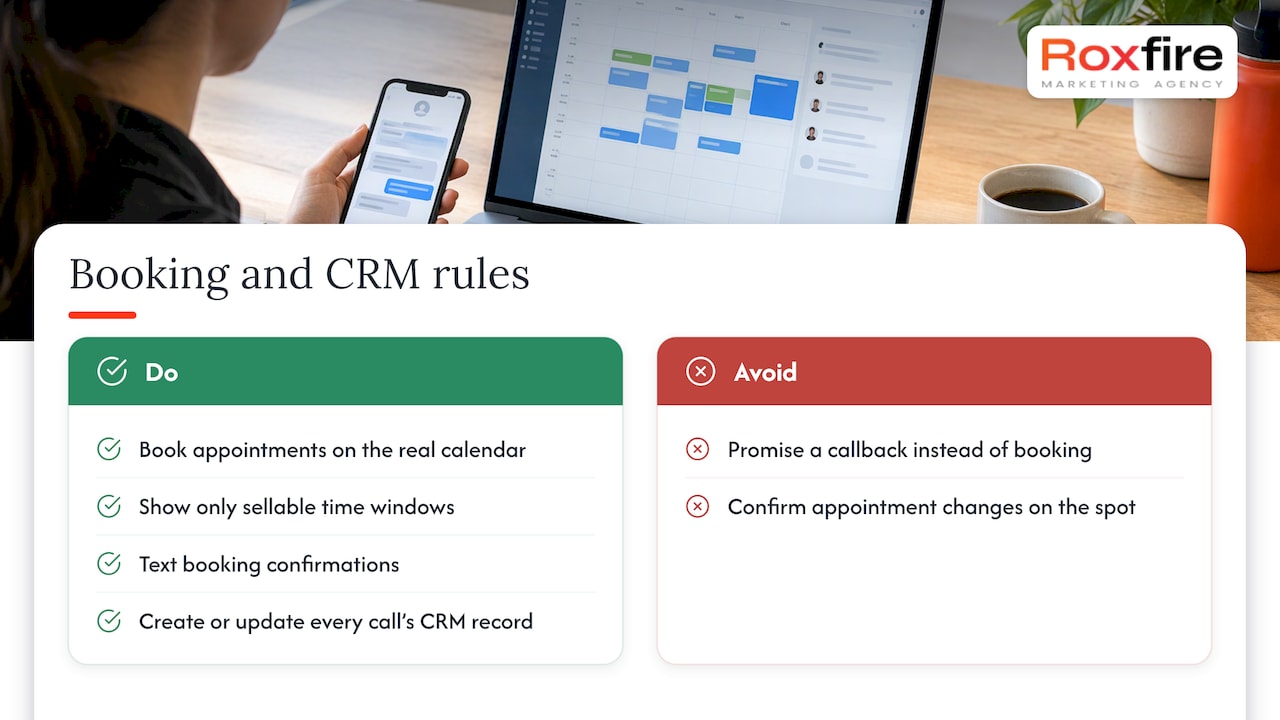
Booking works best when the call itself ends with an appointment on your real calendar, not a promise that someone will call back. Show the assistant only the time windows you are willing to sell, and have it send the caller a confirmation text. If a caller asks to change an existing appointment, a safe rule is to pass it to your team as a request rather than confirming a change on the spot.
Every call should also create or update a record in your CRM: the caller's name, number, address, what they need, how urgent it was, what was booked and a transcript or summary. Roxfire sets up Go High Level CRM and automation, and can pair it with email nurture and follow-up systems so a caller who did not book still gets a follow-up.
Step 6: Add consent language and test it
If calls are recorded or transcribed, tell the caller at the start. State rules differ. California, for example, makes it a crime to record a confidential communication without the consent of all parties, so a short recording notice in the greeting is the safe approach. If you serve customers in several states, ask your attorney which rules apply to you.
Then test the whole thing from a phone the system does not recognize. Make a routine call and book a job. Make an emergency call and confirm your on-call person's phone rings. Hang up in the middle of a call and see what record is left. Test again after any change to your schedule, staff or phone provider.
Schedule forwarding carefully
After-hours, overflow and 24/7 coverage all work through the same mechanism: your phone line forwards calls to the answering system. They differ in which calls get forwarded and when.
- After-hours forwarding switches on at closing time and off at opening. Use it when daytime calls are handled well but evenings and weekends go to voicemail.
- Overflow forwarding sends calls only when your line is busy or nobody answers. Use it when your dispatcher or office staff cannot keep up during peak hours.
- Full forwarding sends everything. Use it when nobody on your team can reliably answer at any hour, for example a small crew that is out on jobs all day.
Many service companies need after-hours and overflow together. Set the forwarding on a schedule rather than switching it by hand, because a manual switch is forgotten within a few weeks. If you ever change providers, turn the old forwarding off so calls do not go to a dead number.
Match the setup to your trade
The right tier rules depend on what your callers actually need.
- HVAC and garage door repair: Emergencies are common and time-sensitive. Build the emergency tier carefully, with a tested handoff to a technician on call. Our HVAC marketing and garage door repair marketing pages show how these businesses get calls in the first place.
- Restoration: Almost every call is urgent. The assistant should collect the type of damage, the address, whether the water or fire is still active and whether there is a safety risk, then connect to dispatch. See our restoration marketing approach.
- Roofing and window replacement: Most calls are estimate requests that can wait until morning, but storm damage creates spikes of urgent calls. Book the routine ones during the call and flag active leaks. See roofing marketing and window replacement marketing.
- Pool builders: Calls are high-value project inquiries. The priority is capturing budget range, location and timeline so your sales team starts the morning with a qualified list. Our post on pool builder marketing mistakes covers what happens before the call.
- Cleaning and moving: Mostly quotes and bookings. Capture dates, home size, addresses and special requirements, and book or queue the estimate.
- Dental and spa: Mostly appointment requests, with an occasional urgent case such as severe pain. Book routine visits into the calendar and send urgent ones to the on-call dentist or manager. If you handle patient health information, check privacy requirements with your compliance adviser before deciding what the assistant records.
What the assistant should capture on every call
A useful call record is a complete one. Capture the same fields every time so your team can act without calling back to ask basics:
- Name and best phone number
- Service address and whether it is in your area
- What is wrong, in the caller's words
- How urgent it is and why
- When they are available
- Whether they are a new or existing customer
- Permission to text them
Then set a rule for who owns each lead. An emergency alert should require someone to confirm they are taking it. If they do not confirm within a set time, it goes to the backup. Every call should end with a recorded outcome, so the morning review shows booked, callback needed or closed.
How to tell whether it is working
Track a few numbers weekly for the first two months, then monthly:
1. After-hours calls answered: the share of calls outside staffed hours that reach a conversation rather than a voicemail box. 2. Bookings per after-hours call: how many turned into scheduled jobs. 3. Emergency handoff time: the gap between the call and your on-call person being reached. Test this regularly with a practice call. 4. Follow-up speed: how long routine leads wait for a morning callback. 5. Cost per booked job: your ad spend plus fees divided by jobs booked, not by leads received.
If you run paid ads, compare cost per booked job before and after you started answering after-hours calls. Call tracking tied to your campaigns shows which ads and keywords produce the calls, so you can see whether the after-hours ones turn into revenue. Be realistic about timing: give the system a few weeks to gather enough calls, and read the first week of call summaries yourself to fix any wrong answers.
What Roxfire builds for this
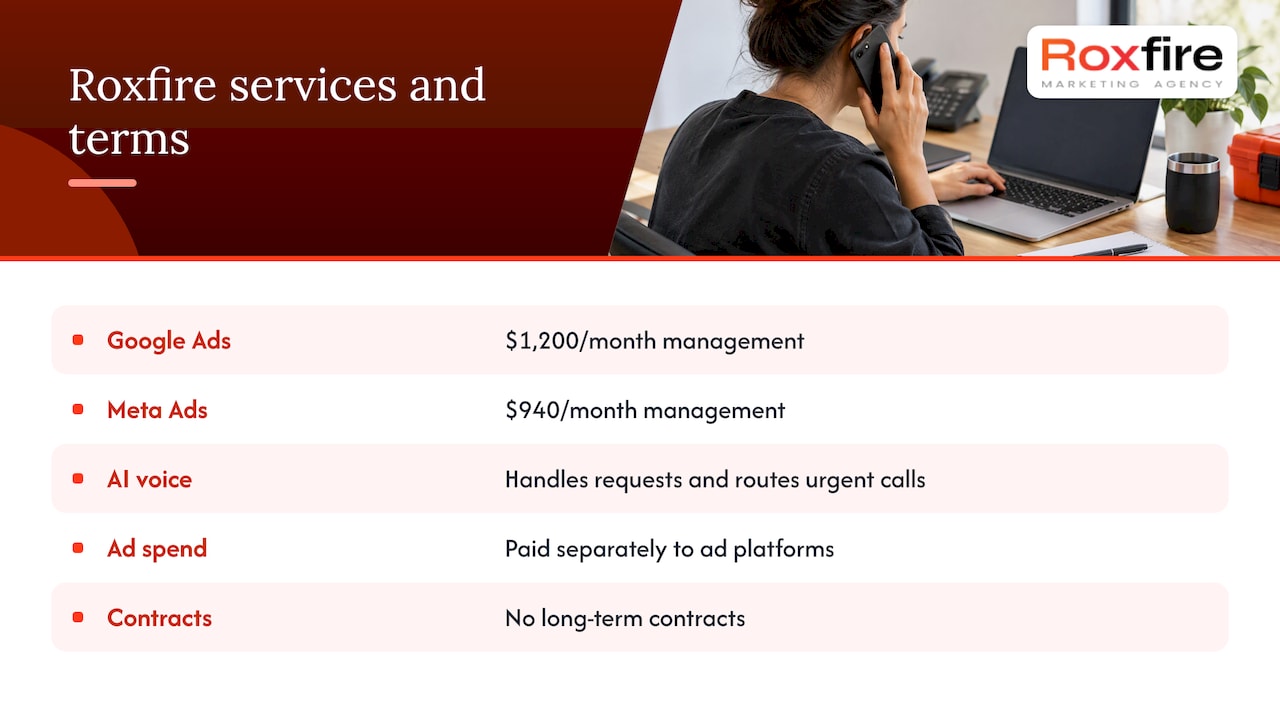
Call answering is one piece of a lead system. Roxfire builds the pieces around it for local service businesses: Google Ads management from $1,200/month, Meta Ads management from $940/month, local SEO, landing pages, AI voice and automation, and CRM setup. Ad spend is paid directly to the ad platforms and is separate from our management fee. We have no long-term contracts.
Our AI voice and automation service is designed to answer calls, handle routine requests and route urgent ones, so the leads our campaigns generate are not lost after hours. We track campaigns to revenue rather than to clicks, which is why call outcomes matter to us as much as ad performance. We do not guarantee leads. Results depend on your market, your budget and how quickly your team follows up.

If you want to see where your calls are being lost today, book a free marketing audit with Roxfire through our website.
FAQ
Is after-hours call answering worth it for a small service company?
It pays off when the value of one booked job is larger than the monthly cost of coverage, which is true for most trades. Use the worked example above with your own average job value and missed-call count. If you miss only a few calls a month, forwarding to your cell with a text-back message may be enough for now.
Can an AI assistant handle emergency calls?
It can answer instantly, ask the right questions, collect the caller's name, address and problem, and call your on-call person. The key is that you define what counts as an emergency and who is called, then test the handoff before relying on it. Any life-threatening situation should be directed to 911 first.
What should I do about call recording laws?
Tell callers at the start of the call that it may be recorded or transcribed. Some states require every party to consent, and California's law carries criminal penalties for recording confidential calls without it. Ask your attorney about the states where your customers are.
How long does it take to set up?
The technology is usually the quick part. The slower part is writing your standard answers, deciding your emergency tiers and naming your on-call contacts. Plan for a short testing period after launch, and review the first week of call summaries to correct anything the assistant got wrong.
Want this handled for you?
We run Google Ads, Meta Ads, and SEO for local service businesses. Book a call and we will show you what your numbers could look like.